Postgres Connection Pool Sizing That Bills Per Idle Transaction as Hidden Auth Tax
Every Postgres connection in a cloud database carries a silent cost that rarely appears on the invoice as a line item. When that connection sits idle — holding a transaction open, waiting for the next query — it becomes a tax that accrues by the minute. Multiply by dozens of pooler connections, each cycling through TLS handshakes and password hashing, and the bill starts to look less like compute and more like overhead. This is the hidden auth tax: the recurring expense of authentication churn wrapped inside idle connection time.
The Idle Tax: When Connections Cost More Than Queries
Cloud database providers typically bill per connection-hour. Amazon RDS for PostgreSQL charges by instance uptime, but connection slots are limited and each one consumes memory. A connection pool like PgBouncer or RDS Proxy adds its own pricing — RDS Proxy costs roughly US$ 0.015 per connection-hour as of late 2024. For a startup running 50 idle connections around the clock, that adds up to US$ 200–500 monthly in proxy fees alone, before the database instance cost.
The real sting is that idle transactions hold database resources far beyond the connection socket. An open transaction retains locks on rows or tables, blocks vacuum from cleaning dead tuples, and prevents XID wraparound prevention. In extreme cases, a single forgotten BEGIN without a corresponding COMMIT can stall an entire production database. Some teams report paying for 2–3x the actual needed capacity because idle connections inflate the pool size.
PgBouncer's transaction mode — where connections are released back to the pool after each transaction — helps, but only if the application actually commits. Long-lived application connections that hold transactions open for minutes at a time defeat the pooling benefit. The result: the pool stays full, new connections fail, and the auth handshake cycle repeats every time a connection is recycled.
Consider a SaaS platform running on a 16-core RDS instance with 500 connections in the pool. Monitoring reveals that peak active queries never exceed 80. The remaining 420 connections are idle, each consuming roughly 5–10 MB of memory for the backend process and session state. That's 2–4 GB of RAM wasted on idle connections, inflating the instance size needed and adding to the monthly bill. After rightsizing the pool to 100 connections, the team was able to downsize the instance from db.r6g.4xlarge to db.r6g.2xlarge, saving over US$ 1,000 per month — a direct result of cutting the idle tax.
Auth as Recurring Overhead
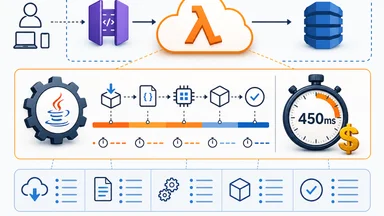
Every new Postgres connection requires a TLS handshake and authentication. For password-based auth, the server computes a hash and compares it against stored credentials. For IAM-based auth — common on AWS Aurora and RDS — the client must obtain a short-lived token, which adds a network round-trip to the IAM service. On serverless platforms like Neon or Aurora Serverless v2, cold starts amplify this: the compute node may need to initialize, then the client re-authenticates, adding latency of hundreds of milliseconds.
The overhead is not just time. Each auth handshake consumes CPU on the database server. At scale, with hundreds of connections per second, this can saturate a small instance's CPU. CockroachDB, while not vanilla Postgres, illustrates the problem: its certificate rotation requires the cluster to re-establish trust periodically, adding overhead that some teams have measured at 5–10% of CPU during peak rotation windows.
Connection poolers like PgBouncer cache authentication results, but the cache is per-pooler process. If the pooler restarts or scales up, all cached credentials are lost, forcing a wave of re-authentications. This is a common pattern during deploys: the pooler restarts, connections flood in, and the database CPU spikes for a few seconds — just long enough to trigger a latency alarm.
One fintech company running on Aurora Serverless v2 experienced exactly this. Their application would scale up from 10 to 50 connections during a marketing campaign, and each new connection required a fresh IAM token. The IAM token generation added 50–100 ms per connection, and the cumulative delay caused request timeouts. By switching to PgBouncer with a persistent pool of 20 connections and enabling auth caching, they eliminated the token generation overhead entirely and reduced p99 latency by 40%.
Sizing by Query Profile, Not Peak Load
The conventional wisdom for Postgres connection pool sizing — one pooler per CPU core, each with 10–20 connections — is a rough starting point, not a rule. The real driver is transaction duration. An OLTP workload with sub-millisecond queries can share a few connections among hundreds of clients. An analytical workload with queries that run for seconds needs more connections to keep CPU busy.
A practical heuristic: measure the average transaction duration and the desired concurrency. If each transaction takes 5 ms and you want 200 concurrent queries, you need roughly 200 × 0.005 = 1 connection — but that ignores queuing. A more realistic model uses Little's Law: pool size = throughput × latency. For 200 queries per second at 10 ms average latency, you need 2 connections. Most teams over-provision by a factor of 2–3 because they size by peak concurrent clients instead of active queries.
Real-world example: a 4-core RDS instance running a Ruby on Rails app with a typical request-per-page pattern. The team configured a pool of 25 connections per process, with 8 processes — 200 connections total. Monitoring showed only 12 connections active at any time. The rest were idle, holding memory and inflating the RDS Proxy bill. After reducing the pool to 15 per process, latency stayed flat and the monthly proxy cost dropped by roughly 40%.
Too many connections cause context-switch thrash. Postgres uses one process per connection, and the OS scheduler juggles them. Above 200 connections on a 4-core machine, context switches can consume more CPU than query execution. Some benchmarks show throughput dropping by 20% or more when connection count exceeds 3–5 per CPU core.
But not all workloads behave the same. A team running a chat application with persistent WebSocket connections found that their average transaction duration was under 1 ms, but they needed 500 concurrent connections to handle real-time messaging. Using Little's Law, they calculated a required pool size of roughly 5 connections, but the application required many more due to the long-lived nature of WebSocket sessions. They compromised by using PgBouncer in session mode for the WebSocket connections and transaction mode for the rest, reducing total database connections from 500 to 50. This hybrid approach saved them roughly US$ 300 per month in RDS Proxy fees.
Connection Poolers That Leak Money
PgBouncer's two main modes — session and transaction — have radically different cost profiles. Session mode keeps the database connection tied to the client connection for its entire lifetime, defeating pooling for long-lived connections. Transaction mode releases the connection after each transaction, but only if the client issues COMMIT or ROLLBACK. Applications that use prepared statements or hold cursors may force session mode, eliminating savings.
AWS RDS Proxy bills per connection-hour, with a minimum charge of 1 hour per connection. If your pooler creates 50 connections and each runs for 1 hour, that's 50 connection-hours per hour — roughly US$ 0.75/hour at typical rates. Over a month, that's US$ 540. Reducing idle connections by 50% saves US$ 270/month without touching instance size. RDS Proxy also adds roughly 1–3 ms of latency per query, which some teams find acceptable but others consider a hidden performance tax.
ProxySQL, designed for MySQL but sometimes used with Postgres via protocol translation, has its own overhead: each backend connection consumes memory for statement caching and metrics. HaProxy, a popular TCP proxy for Postgres, does not implement idle timeout by default, meaning connections can remain open indefinitely unless explicitly configured. Teams that deploy HaProxy without setting timeout client and timeout server often discover months later that they are paying for thousands of dead connections.
An e-commerce company using HaProxy as a Postgres load balancer learned this the hard way. They had configured a maximum of 200 backend connections, but due to a misconfiguration, the idle timeout was set to 0 (disabled). Over a weekend, the number of connections grew to 200 and stayed there, even though only 30 queries were active at any time. The database CPU was pegged at 90% from context switching, and the instance had to be rebooted. After setting timeout client 30000 and timeout server 30000 (30 seconds), idle connections dropped to near zero, and CPU utilization fell to 30%.
The odds of over-provisioning a pooler are high. A common pattern: a team sets pool size to 100 because that matches the number of application instances, but only 20 queries are active at peak. The extra 80 connections sit idle, accruing proxy fees and consuming database memory. Some managed Postgres providers charge per GB of connection memory, making idle connections a direct line item.
The True Cost of Idle Transactions
An idle-in-transaction connection blocks PostgreSQL's autovacuum from cleaning dead tuples. The vacuum process skips tables with open transactions because it cannot determine which tuples are visible to that transaction. Over time, dead tuples accumulate, table bloat grows, and storage costs rise. Some teams report a 30% larger disk footprint due to bloat from a single long-running idle transaction.
Pg_stat_activity reveals the offenders: queries with state = 'idle in transaction' and state_change older than a few minutes. In one case study, a team found a monitoring script that opened a transaction, fetched data, then waited 5 minutes before closing — every 5 minutes. That single connection caused table bloat that added US$ 200/month in storage costs on RDS gp3 volumes.
Beyond bloat, idle transactions hold transaction IDs (XIDs). Postgres wraps around after 2 billion transactions; if an idle transaction holds an old XID, it can force emergency autovacuum or even shut down the database to prevent data loss. The cost of recovering from XID wraparound can include hours of downtime and manual intervention — far more expensive than the connection itself.
Setting idle_in_transaction_session_timeout to a sane value — 5 minutes, for example — prevents this. But many applications rely on long-running transactions for streaming or change data capture, so the timeout must be tuned per workload. The tradeoff is between safety and breaking legitimate long-lived processes.
A counter-argument: some teams argue that idle transactions are not a significant cost if the pool is small and the database is properly provisioned. For a 2-core instance with 10 connections, the memory overhead of idle connections is negligible. However, this view ignores the hidden costs of bloat and XID wraparound risk. Even a single idle transaction can cause table bloat over weeks, and the storage cost can dwarf the connection cost. The real issue is not the number of connections but the duration of idle transactions. A single idle transaction that stays open for 24 hours can cause more bloat than 50 idle connections that close after 1 second each.
Hardening Auth Without Breaking the Bank
Session pooling reduces re-auth frequency by keeping database connections open across client requests. The downside is that each session holds a database connection, limiting total scale. For applications with moderate concurrency, session pooling with a small pool — say 10–20 connections — can eliminate auth overhead entirely while keeping costs low.
Client-side keepalive settings — tcp_keepalives_idle and tcp_keepalives_interval — prevent network middleboxes from dropping connections prematurely. Without keepalives, the pooler may see a connection as idle and recycle it, forcing a new auth handshake. Setting keepalives to 30 seconds can reduce connection churn by 50% or more.
IAM database auth with short-lived tokens — valid for 15 minutes by default — adds security but increases auth frequency. Each token refresh requires a call to the IAM service, which can add latency and cost (IAM API calls are free, but the round-trip time adds up). Caching the token on the application side for its full lifetime reduces overhead, but if the token expires during a long transaction, the connection may be dropped.
PgBouncer's auth_query caching stores the result of the authentication query for a configurable period. By default, it caches for 60 seconds. Increasing the cache TTL to 5 minutes reduces database load from repeated auth queries, at the risk of stale credentials. For most workloads, a 5-minute cache is safe and cuts auth overhead by roughly 80%.
The ultimate tradeoff is between security and cost. Frequent re-authentication reduces the window for compromised credentials but increases CPU and latency. Infrequent re-authentication saves money but widens the attack surface. The right balance depends on compliance requirements and risk tolerance.
For example, a healthcare application bound by HIPAA may require re-authentication every 15 minutes, regardless of cost. In that case, the auth tax is a compliance necessity, and teams must optimize elsewhere — perhaps by reducing the number of connections or using a more efficient pooler like PgBouncer with prepared statement caching. On the other hand, a content management system with low security requirements could set auth cache TTL to 30 minutes and keepalives to 60 seconds, reducing auth overhead to near zero.
Auditing Your Pool for Hidden Auth Tax
The first step is to query pg_stat_database for connection churn: look at numbackends and xact_commit + xact_rollback per second. A high ratio of connections to transactions indicates idle connections. Also check pg_stat_activity for the distribution of idle vs active connections. A healthy pool has 80% or more connections in active or idle (not in transaction) state.
Log auth failures and retry storms. If the application retries connections aggressively — common with ORMs like ActiveRecord — a brief database restart can trigger a thundering herd of auth attempts. Enabling log_connections and log_disconnections in Postgres helps identify the pattern. Some teams have reduced retry storms by adding exponential backoff in the connection library.
Measure idle connection duration distribution. Collect samples from pg_stat_activity every minute and bucket connections by how long they've been idle. If a significant fraction are idle for more than 10 minutes, they are candidates for reduction. Tools like pg_stat_monitor or pgBadger can automate this analysis.
Compare pool size vs concurrent active queries. If the pool size is 100 but peak active queries is 30, the pool is over-provisioned by 70 connections. Reduce the pool by 20% and monitor for a week. If latency and error rates stay stable, repeat. One team at a mid-size SaaS company reduced their RDS Proxy bill from US$ 800/month to US$ 450/month over three months by iteratively trimming the pool.
But auditing is not a one-time event. As application code evolves, query patterns change. A new feature might introduce long-running transactions, or a library upgrade might change connection behavior. Regular monitoring — at least monthly — ensures that the pool remains sized appropriately. Setting up alerts for idle transaction duration and connection churn can catch regressions early.
The hidden auth tax is not inevitable. It is the result of treating connection pools as static infrastructure rather than dynamic cost centers. By auditing connection churn, sizing by transaction profile, and tuning timeout and keepalive settings, teams can reclaim 20–40% of their database connection costs. The tradeoff is vigilance: it takes ongoing monitoring to keep the tax from creeping back.